
You’ve heard it a hundred times: to achieve digital detox, turn off all your screens. Cold turkey. No glowing rectangles. But what if you didn’t have to abandon them entirely? What if, instead of being the enemy, one of those screens—the one in your living room—could actually help?
Page Contents
Yes, Fire TV. The very device people use to binge for hours. Let’s challenge the obvious.
Could Fire TV be a tool for detox, not just another dopamine trap? Unexpectedly, yes. And not in the way you think.
What’s Digital Detox Really About?
Before we bend the rules, let’s define the game.
A digital detox isn’t a full retreat from technology (unless you’re going off-grid in a forest with no Wi-Fi and questionable plumbing). It’s about regaining conscious control. About reducing screen time that’s passive, mindless, or anxiety-inducing.
According to a 2023 report by The Guardian, the average adult spends over 3 hours per day on their phone alone, with about 50 pickups per day. That’s 50 mental interruptions. Not including time spent with tablets, computers, or TVs.
The goal? Less fragmentation, more presence. And that doesn’t always mean zero screens—it could mean better use of them.
Fire TV: The Paradox Device
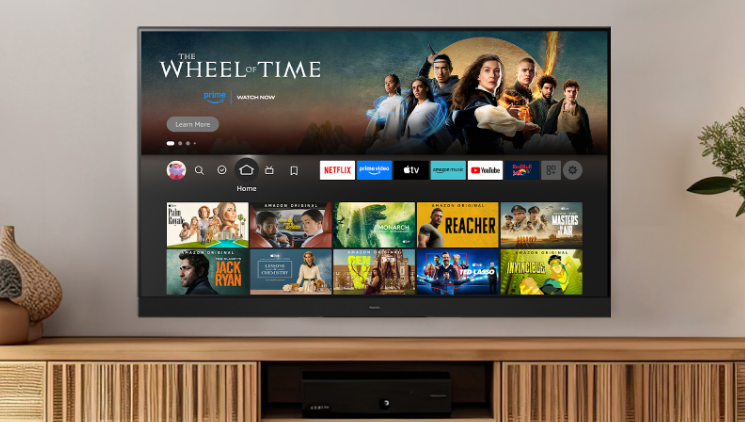
At first glance, Fire TV seems counterproductive to any detox effort. It’s a portal to streaming chaos—hundreds of apps, autoplay trailers, endless scroll.
But: it’s also customizable. It can be shaped into a focused, minimalistic tool for specific content. Which means it can become a detox companion—if you configure it with intention.
Let’s get into that.
1. Curate, Don’t Consume
Fire TV allows you to control what’s installed and what appears on your home screen.
Delete what you don’t need. No social media mirroring. No YouTube rabbit holes. Just install meditation apps, nature sounds, fitness channels, or platforms like CuriosityStream, which offers educational content over algorithm-driven fluff.
Minimal inputs = minimal mental clutter.
Use apps like:
- Calm or Insight Timer (yes, available via Fire TV)
- FitOn for quick movement sessions
- Amazon Music for playlists labeled “Focus,” “Meditation,” or “Unwind”
And maybe…just maybe, disable autoplay previews (it’s in the settings—yes, it’s annoying at first, then liberating).
2. Scheduled Mindful Viewing
Instead of letting Fire TV become a time sponge, flip the model: schedule limited, specific sessions. This gives structure. Think “digital sabbatical hour.”
Examples:
- 15 minutes of Slow TV before bed (like the Norwegian show where a train just…rides)
- 10-minute morning stretch guided on-screen, instead of doomscrolling Twitter
- A 20-minute sunset timelapse loop while journaling
This intentional use is miles away from binging sitcoms till 2 a.m.
And it aligns with the psychology of detox: replacing the bad habit with something better, rather than leaving a void.
3. Family Detox Sessions
Digital detox doesn’t have to be solitary.
Turn Fire TV into a communal mindfulness hub. Try:
- Group yoga sessions via Fire TV’s fitness apps
- Cooking shows that inspire an actual activity afterward (yes, that counts)
- Guided breathing exercises before bedtime for kids and adults alike
Families who detox together—actually speak together.
What’s the situation with privacy? As with all platforms, surveillance still haunts us. VPN is the biggest contribution to streaming privacy on Fire TV and in general for digital devices. With VPN apps active, you cannot be tracked, identified or located.
4. Turn Off the Algorithms
Seriously. Kill them.
Fire TV, especially when synced with Amazon Prime or other major apps, loves to recommend. But recommendations are often rabbit holes. And rabbit holes are where detox dreams go to die.
Go into each app and disable recommendations, history tracking, and autoplay features. Set profiles. Restrict content. Even better—set your own “watchlist” and stick to it like a playlist.
This prevents hijacking your attention with “just one more episode.”
5. Set Up a “Detox Mode”
Create a profile on Fire TV that is entirely built for your detox plan.
Call it “Peace Mode” or “Offline Ritual.” Strip it down to:
- 3 apps max
- Calming visuals
- Zero access to mainstream entertainment
Fire TV allows multiple profiles. Use this feature as a wall between “mindful consumption” and “default binge zone.”
Want to go deeper? Use Alexa voice control only for focused tasks:
“Alexa, open Calm.”
“Alexa, play forest rain sounds.”
“Alexa, guide me through a 5-minute meditation.”
That’s detox, disguised as tech.
Fire TV vs. Smartphones: The Surprising Winner?
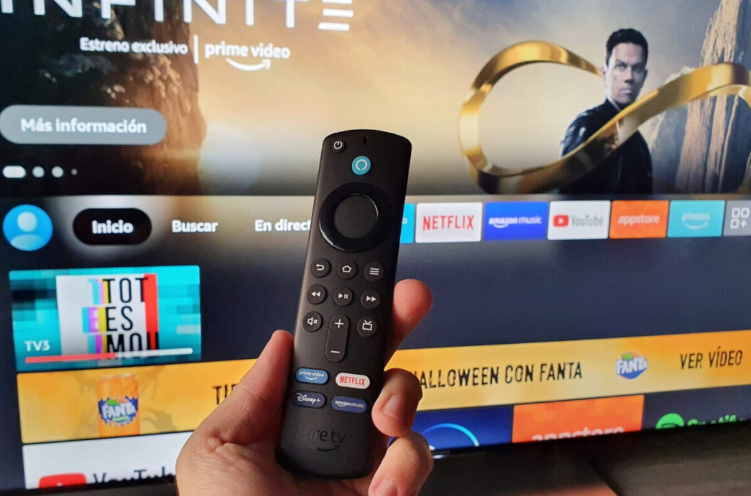
If you compare Fire TV to phones or laptops, it has one huge detox-friendly trait: it’s not mobile.
It sits in one room. On one wall. It doesn’t vibrate in your pocket. It doesn’t follow you to the bathroom. That means you can limit its influence to structured hours, in defined spaces. Try doing that with Instagram.
This makes Fire TV a stationary ritual device, not a notification minefield.
Final Thoughts: Screens Aren’t the Enemy
In the end, detox doesn’t mean smashing your gadgets and moving to the woods. It means reclaiming attention.
Fire TV, surprisingly, can help. When used like a digital fireplace—something to gather around, to soothe, to be intentional with—it stops being a trap and becomes a tool.
The detox isn’t about deleting tech.
It’s about directing it.
And sometimes, that red Fire TV cube isn’t a siren—it’s a lighthouse.
Quick Recap – How Fire TV Supports Detox:
| Feature | Detox Benefit |
| Custom Profiles | Control what you access |
| App Restriction | Remove distractions |
| Scheduled Sessions | Build routine, limit exposure |
| Family Use Options | Create mindful group moments |
| Stationary Screen | Less portability = fewer temptations |
You don’t have to fear the screen.
Just teach it to respect you.

Celina brings a wealth of experience to Hiddennumerology as our new Chief Editor.
With a bachelor’s degree in communication and journalism, she has built an impressive career editing for renowned publications focused on self-care and relationships.
Known for her empathetic approach, Celina’s edits will transform our content, infusing it with depth and emotional resonance. Her thoughtful revisions and additions aim to touch readers’ hearts, making each article not just informative, but deeply relatable.